Take-home pay calculator 2026/27
How much of my salary will I take home in 2026/27?
Estimate salary after income tax, employee National Insurance, pension and student loan deductions. Choose England, Wales or Northern Ireland, or Scotland. Results use annual thresholds for 2026/27 and are estimates, not tax advice. Check your circumstances with HMRC.
Compare annual, monthly and weekly take-home pay using verified HMRC rates. This guide explains the assumptions and why your payslip may differ.
In this guide
- How much of my salary will I take home in 2026/27?
- How to use the result when planning your budget
- Income tax bands for England, Wales and Northern Ireland
- Scottish income tax: choose the right region
- Personal allowance, tax codes and income over £100,000
- Employee National Insurance and payslip differences
- Pensions: relief at source and salary sacrifice
- Student and postgraduate loan repayments
- Check your estimate against your payslip and HMRC
- Common questions
- Official sources
- Related guides

How much of my salary will I take home in 2026/27?
Use this take-home pay calculator for an annual estimate of employee PAYE deductions. It covers England, Wales, Northern Ireland and Scotland for 6 April 2026 to 5 April 2027. Choose your tax region, enter gross pay and add pension or loan deductions if relevant.
Rates checked 12 November 2026. All calculations stay in your browser. No tracking, external libraries, account or submission to SettleUK is involved.
Your annual estimate
- Gross annual salary
- Personal allowance after taper
- Income tax (before any extra pension relief claim)
- Employee Class 1 National Insurance
- Student loan
- Postgraduate loan
- Pension cash deduction / salary given up
- Gross amount directed to pension
- Take-home per year
- Take-home per month (annual ÷ 12)
- Take-home per week (annual ÷ 52)
Annualised estimate, before any extra relief-at-source pension claim. Monthly and weekly figures are averages, not payroll calculations. Pension tax charges, other income and benefit charges are excluded.
How to use the result when planning your budget
Enter the salary before deductions, rather than the amount that arrives in your bank account. If you know only your monthly gross pay, choose the monthly option. The calculator multiplies it by twelve and treats that as a steady full-year salary. It does not infer hours worked or your contractual pay frequency.
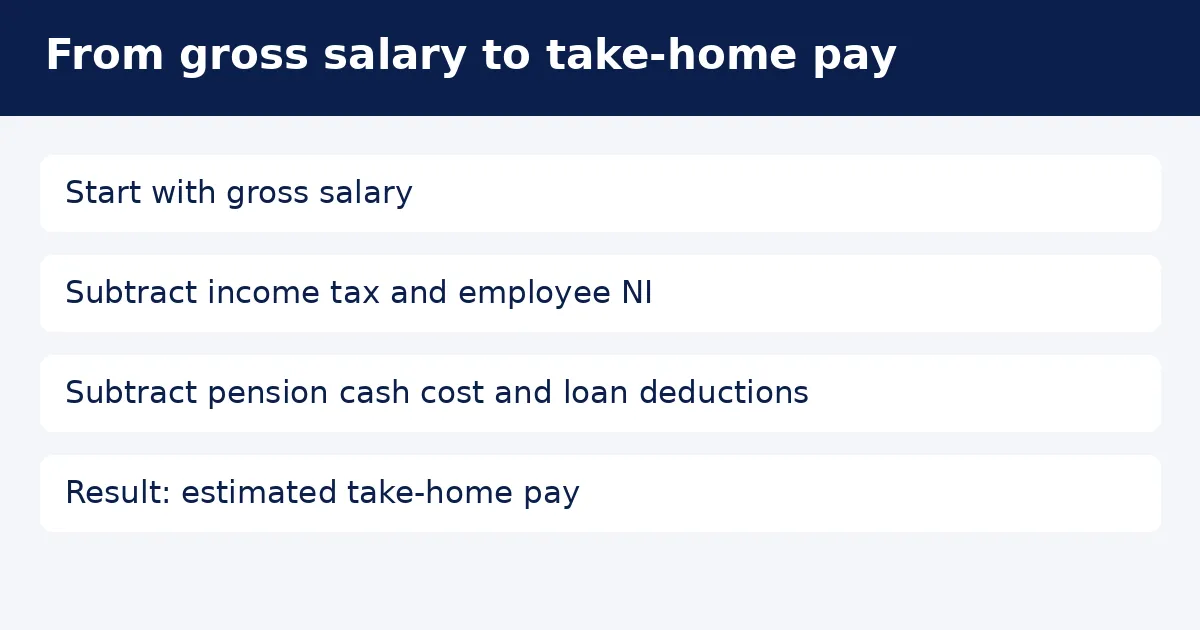
The headline take-home result subtracts income tax, employee National Insurance, any selected loan repayments and the pension cash cost. Employer National Insurance is not taken from your salary here. Employer pension contributions are also excluded, except for the salary you choose to exchange through the simple salary sacrifice option.
Use the monthly average as a starting point for rent, bills and savings. Check the deductions on a recent payslip before committing to a budget. A bonus, unpaid leave, a new job halfway through the year or an earlier tax refund can make a particular month look very different from this average.
Change one input at a time when comparing job offers. Keep the pension method and loan plan consistent so that the comparison is meaningful. A higher gross salary can produce a smaller increase in spendable income than expected because several deductions may apply to the same additional earnings.
Income tax bands for England, Wales and Northern Ireland
For 2026/27, the standard personal allowance is £12,570. Income within your available allowance is not charged income tax. Above that allowance, the first £37,700 of taxable employment income is taxed at 20%. The next part falls into the higher band, with a 40% rate; the additional rate is 45%.
The calculator stores the bands as taxable-income boundaries, not as salary boundaries. Its higher band ends at £125,140 of taxable income. With an untapered standard allowance, the basic-rate salary boundary is £50,270. At high incomes, the allowance taper changes the relationship between gross salary and taxable income.
Only the slice inside a band takes that band’s rate. Crossing a boundary does not make your entire salary taxable at the higher rate. For example, with £50,270 salary and the full standard allowance, £37,700 is taxable at 20%, giving £7,540 income tax before any other adjustments.
England, Wales and Northern Ireland share the rates used in this tool for this tax year. These calculations concern employment income only. Savings, dividends, rental income and self-employment can require different treatment or change the tax due overall. Do not add those amounts to the salary box and expect a complete tax-return calculation.
Scottish income tax: choose the right region
Scotland has different bands for employment income. For 2026/27, the taxable-income boundaries are £3,967, £16,956, £31,092, £62,430 and £125,140, followed by an open-ended top band. The corresponding rates are 19%, 20%, 21%, 42%, 45% and 48%. These boundaries apply after subtracting the available personal allowance.
The calculator applies each rate only to the income between consecutive boundaries. The first Scottish band is therefore £3,967 wide, while the second runs from that boundary to £16,956. This distinction matters: treating every published boundary as a separate band width would materially understate tax on higher salaries.
Choose the region that applies to your income tax status, rather than the location of your employer’s office. If you are unsure which rules apply after a move, check with HMRC. The calculator does not determine Scottish taxpayer status or split your salary between regions during a year.
National Insurance and the selected student loan thresholds use the same figures in either regional calculation. Your loan plan is a separate choice; selecting Scotland does not automatically select Plan 4. Confirm both settings independently. The Scottish result also uses the same standard personal allowance and income-related taper as the other regions.
Personal allowance, tax codes and income over £100,000
The default allowance assumes ordinary treatment associated with tax code 1257L. The allowance input is editable because HMRC may allocate a different tax-free amount. It is not a general tax-code interpreter. Enter the annual allowance before the income-related reduction, and avoid entering an amount that has already been tapered.
For every £2 of adjusted net income above £100,000, the personal allowance falls by £1. With the standard allowance, it reaches zero at £125,140. At £110,000 adjusted net income, the reduction is £5,000 and the remaining allowance is £7,570. The calculator never lets the remaining allowance fall below zero.
Adjusted net income is not always the salary printed in an employment contract. HMRC includes total taxable income before personal allowances and allows certain deductions. In this simplified model, gross pension contributions reduce adjusted net income. Other adjustments, including Gift Aid and other taxable income, have no input and are excluded.
If your tax code includes benefits, an earlier underpayment or adjustments for another job, this tool may not reproduce your payroll tax. Check the coding notice and ask HMRC about an unexpected allowance. Emergency and non-cumulative codes need a pay-period calculation and are outside the scope of this annual estimate.
Employee National Insurance and payslip differences
The tool uses ordinary employee Class 1 category A rates for 2026/27. It estimates no employee contribution up to £12,570 a year, 8% between £12,570 and £50,270, and 2% above £50,270. These are employee deductions; an employer’s separate liability does not reduce the displayed take-home pay.
At £50,270 annual pay, the main-rate slice is £37,700. Multiplying that by 8% gives £3,016. At £60,000, another £9,730 falls above the upper earnings limit and attracts 2%, adding £194.60. This produces an annualised employee National Insurance estimate of £3,210.60 before any salary sacrifice.
Payroll normally works with earnings periods and the relevant period thresholds, rather than simply dividing an annual result. HMRC publishes rounded weekly and monthly thresholds alongside annual figures. As a result, multiplying an actual monthly deduction by twelve can differ from the estimate here even when annual salary is unchanged.
The calculator does not cover reduced-rate, deferred or pension-age National Insurance categories, directors’ alternative methods, multiple employments or irregular earnings patterns. Use it only where the ordinary employee assumption fits. If National Insurance on your payslip looks different, first check the category and pay period with your payroll team.
Pensions: relief at source and salary sacrifice
The pension percentage applies to the whole salary entered. It is a gross contribution, including any provider top-up under relief at source. This is a modelling choice, not an assumption about your workplace scheme. If your scheme uses qualifying earnings or a different pensionable salary, convert the intended annual contribution before comparing results.
For relief at source, the pension provider claims basic-rate relief at 20%. A gross contribution of £2,000 therefore costs £1,600 from your cash pay, with £400 added by the provider. This option leaves National Insurance and loan earnings unchanged. Gross contributions are used when estimating adjusted net income for the personal allowance taper.
Extra relief above 20% is deliberately excluded from the result. HMRC explains that people paying higher rates may need to claim further relief themselves. This can apply in Scotland too, including the intermediate band. A Scottish starter-rate taxpayer can retain the provider’s 20% relief despite paying 19% on that slice.
The salary sacrifice option instead reduces cash salary by the gross contribution before estimating tax, National Insurance and loan deductions. It assumes a valid pension arrangement and no employer National Insurance saving added to your pot. It does not check minimum wage compliance, pension allowances, tax charges or effects on statutory payments.
Ask payroll which pension method you actually use before selecting it. A net pay arrangement is different from both options and is not modelled. Do not select salary sacrifice simply because a payslip shows a pension deduction. The employment arrangement and the scheme’s tax treatment determine which calculation is appropriate.
Student and postgraduate loan repayments
For 2026/27, annual repayment thresholds are £26,900 for Plan 1, £29,385 for Plan 2, £33,795 for Plan 4 and £25,000 for Plan 5. The annualised estimate takes 9% of earnings above the selected threshold. No repayment is estimated where the relevant earnings do not exceed that threshold.
A postgraduate loan has a separate £21,000 annual threshold and a 6% repayment rate. You can select it alongside one student loan plan or on its own. The result lists the two deductions separately so you can see whether both are affecting your spendable pay.
HMRC tells employers to use the same gross earnings figure used for employer secondary Class 1 National Insurance when calculating loan deductions. In this simple model, salary sacrifice reduces that figure, while a relief-at-source contribution does not. Changing the pension method can therefore change the estimated loan repayment as well as tax.
This tool does not calculate loan interest, the outstanding balance, a final repayment cap, refunds or write-off dates. It also does not model several undergraduate plans together. Check your repayment plan before using the selector. If you are close to clearing a loan, confirm the appropriate deductions with the Student Loans Company and payroll.
Loan deductions on a real payslip follow pay-period rules and rounding. An annual salary estimate is therefore most useful for comparison, rather than predicting the exact deduction after a bonus. A month with unusually high pay may trigger a deduction even where the eventual full-year income is relatively low.
Keep a record of the assumptions used for each comparison. Recalculate when your salary, pension arrangement, loan status or HMRC allowance changes, rather than carrying an old estimate into a new budget.
Check your estimate against your payslip and HMRC
Before relying on the result, compare gross pay, region, tax code, pension basis and loan plan with current records. An incorrect input can explain a much larger difference than rounding. Keep the salary entry on a consistent annual or monthly basis, and remember that the output always describes an annualised full-year scenario.
If you start work partway through the tax year, unused allowance or earlier earnings can affect PAYE. This calculator has no year-to-date pay or tax fields. It also excludes taxable benefits, expenses adjustments, bonuses entered separately, attachment orders and deductions such as union subscriptions. Those items can change the amount reaching your account.
Benefit-related tax charges are excluded, so a displayed take-home figure is not a complete measure of household disposable income. Pension annual allowance charges and other personal tax liabilities are also outside scope. Consider the result a planning estimate for the listed deductions, rather than confirmation of your final liability.
Use the official sources below to check a rule, and contact HMRC where your individual tax position is unclear. For a payroll discrepancy, ask your employer to explain the earnings period and deduction basis. Avoid changing pension arrangements solely to match a calculator result without understanding the effect on your employment benefits.
SettleUK is an independent guide, not a government site. The rates are checked for the stated tax year and date; a later visit does not mean a fresh check has occurred. Return to the official guidance before using these figures for another year or making a significant financial decision.
Common questions
Is this an exact payslip calculator?
No. It uses annualised thresholds and steady full-year pay. Payroll periods, rounding, earlier earnings, tax-code adjustments and other deductions can change an actual payslip.
Does it include Scottish income tax?
Yes. Select Scotland to use the verified 2026/27 Scottish employment income bands. National Insurance and the loan settings are calculated separately.
Can I enter monthly salary?
Yes. Select monthly salary and enter gross monthly pay. The tool annualises that amount. Its monthly and weekly results are averages of the annual estimate.
Does the pension percentage mean my cash payment?
It means the gross pension contribution as a percentage of full salary. Under relief at source, your cash cost is 80% of that amount. Extra relief above 20% is excluded.
Can I include a postgraduate loan with Plan 2?
Yes. Select Plan 2 and tick the postgraduate option. Both deductions appear separately. You can also select a postgraduate loan without a student loan plan.
Why does my personal allowance fall on a high salary?
HMRC reduces it by £1 for every £2 of adjusted net income above £100,000. The tool estimates adjusted net income using salary and gross pension contributions, excluding other income and adjustments.
Official sources
- Rates and thresholds for employers 2026 to 2027 — HMRC / GOV.UK · Checked 2026-11-12
- Income Tax rates and Personal Allowances — HMRC / GOV.UK · Checked 2026-11-12
- Income over £100,000 — HMRC / GOV.UK · Checked 2026-11-12
- Tax relief on pension contributions — HMRC / GOV.UK · Checked 2026-11-12
- Salary sacrifice for employers — HMRC / GOV.UK · Checked 2026-11-12
- Personal Allowances: adjusted net income — HMRC / GOV.UK · Checked 2026-11-12
- Student loan repayment guidance for employers — HMRC / GOV.UK · Checked 2026-11-12
- What your tax code means — HMRC / GOV.UK · Checked 2026-11-12
SettleUK is an independent guide. It is not a government website and is not affiliated with GOV.UK, DWP, HMRC or the NHS.