P60 explained: deadline, lost forms and tax records
What is a P60 and when should I get one?
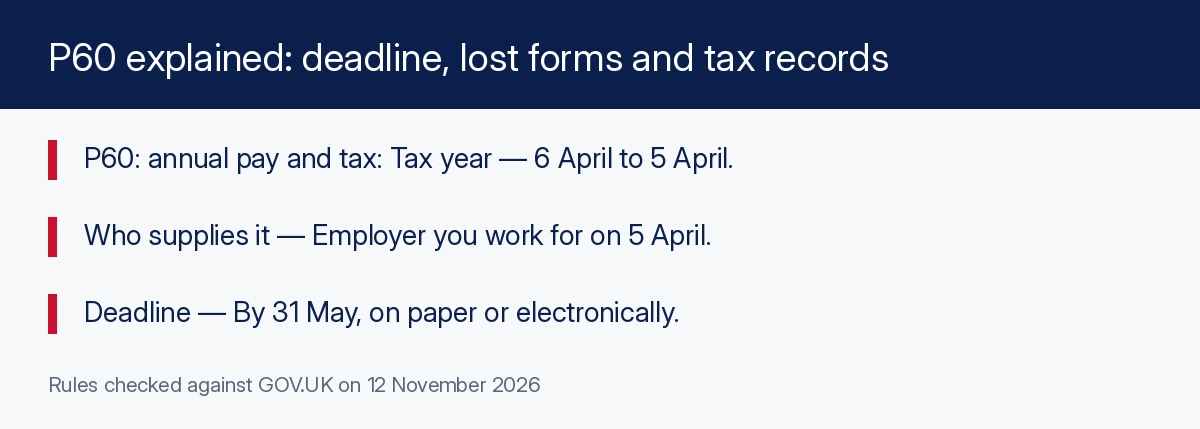
A P60 summarises annual pay and tax. If you work for an employer on 5 April, it must provide a P60 by 31 May, on paper or electronically. Ask the employer for a replacement if lost; HMRC’s account or app can provide the information if you cannot obtain one.
Know when a P60 is due, which employer supplies it and how to find pay and tax information when the document is missing.
In this guide
- What is a P60 and when should I get one?
- The 5 April condition and 31 May deadline
- What is on a P60 and how should you read it?
- When you may need your P60
- Lost P60: replacement and HMRC information
- Find pay and tax information in your personal tax account
- What to do if your P60 looks wrong
- P60 versus P45 when changing jobs
- P60 versus P11D and benefits through payroll
- A practical annual paperwork checklist
- Common questions
- Official sources
- Related guides

What is a P60 and when should I get one?
A P60 is your annual summary of pay and tax from an employer. If you are working for that employer on 5 April, it must provide your P60 by 31 May, on paper or electronically. You receive a separate P60 for each job that meets that year-end condition.
The tax year runs from 6 April to 5 April. A P60 describes the completed year, rather than predicting your pay or tax for the next one. Check the year printed on it before using it as evidence of income.
This guide covers PAYE employment paperwork in England, Scotland, Wales and Northern Ireland. Scottish and Welsh tax arrangements can affect tax coding, but the P60 guidance here comes from HMRC's UK service. SettleUK is an independent guide, not a government site.
A P60 is not the form normally used when leaving a job. That is a P45. Benefits in kind, such as some company benefits, may involve a P11D or tax through payroll. The distinctions below help you request the correct document.
The 5 April condition and 31 May deadline
GOV.UK's P60 guidance ties entitlement to working for the employer on 5 April. It then sets the employer's deadline at 31 May. Being employed earlier in the tax year does not necessarily mean that employer owes you a P60.
If you left before the year ended, look for the P45 from that job. If you had more than one job at year end, check that each relevant employer has supplied a separate P60. Avoid expecting all jobs to be combined into a single employer-issued document.
For someone newly arrived in the UK, the timing can be confusing. Starting work does not trigger an immediate P60 for an unfinished tax year. Keep your payslips while you wait for the normal year-end reporting cycle.
- Identify the tax year you need evidence for.
- List the employers you were working for on 5 April.
- Check each employer's paper or electronic delivery route.
- Contact payroll about any P60 missing after the deadline.
Ask payroll where electronic forms are held and whether you need to download them before workplace account access ends. Save a copy somewhere you can access after leaving the job.
What is on a P60 and how should you read it?
The employer guidance describes a P60 as a summary of total pay and deductions for the year. The employee guidance explains that it shows the tax paid on salary during the tax year.
Start by checking that the document belongs to you, identifies the expected employer and covers the right tax year. Then read the pay and tax totals with their labels. Do not treat every number on the form as a separate amount of tax due.
Compare the summary with your payroll records if something looks unexpected. Use the employer's explanation of the relevant fields rather than adding together figures with different labels. Ask payroll to clarify whether an apparent difference comes from the period, employment history or an error.
| Check | Why it matters |
|---|---|
| Correct tax year | The form summarises a completed year |
| Correct employer | Separate qualifying jobs produce separate P60s |
| Pay total | Helps evidence income for that year |
| Tax deducted | Helps check the tax recorded on salary |
A P60 is a summary rather than a payslip for a particular month. Keep it alongside the underlying payslips so you can investigate a question about an individual payment without expecting the annual form to show every transaction.
When you may need your P60
GOV.UK lists claiming back overpaid tax and proving income for a loan or mortgage as examples of P60 uses. If an organisation requests one, check which tax year and which employment it needs evidence for before sending documents.
The organisation decides what evidence it accepts for its own application. This guide does not promise that a P60 is sufficient for every lender, landlord or other recipient. Ask about alternatives if you have only recently started work or do not have a qualifying P60.
If you think you paid too much tax, the P60 is useful evidence, but it is not itself a refund claim or a decision that money is owed. Use HMRC's official tax-checking routes and provide the relevant information.
- Keep a readable copy labelled with the tax year.
- Keep separate employers' forms together for the same year.
- Check the recipient's request before sharing the document.
- Use HMRC's service for tax questions rather than assuming a total proves overpayment.
If a recipient needs current earnings, ask whether payslips or another document are required. A completed-year summary cannot establish how your income changed after that year ended.
Lost P60: replacement and HMRC information
If you lose a P60, GOV.UK says to ask your employer for a replacement. Start with payroll or the employer's usual employee-document contact. State the tax year and check whether a copy remains available through its official system.
If the employer cannot provide one, use your personal tax account or the HMRC app to find the information that would be on the P60. You can also contact HMRC and ask for that information.
HMRC provides the pay and tax information; the employer supplies the replacement P60. If another organisation insists on a P60, ask whether the HMRC information or another payroll record will meet its requirement.
- Ask the employer for the missing year's replacement.
- Check any official payroll document access you still have.
- Use HMRC's account or app if a replacement is unavailable.
- Contact HMRC if you cannot obtain the information online.
- Confirm with the recipient what alternative evidence it accepts.
A lost P45 follows different rules: GOV.UK says it cannot be replaced, and a starter checklist may be needed for a new job. Do not apply the P45 replacement rule to a P60.
Find pay and tax information in your personal tax account
The personal tax account lets you check records and manage details with HMRC. Its listed services include checking income from work and Income Tax paid in the previous 5 years.
You need to sign in. If you have no sign-in details, the official service allows you to create them. It tells you if identity verification is needed, normally using photo ID such as a passport or driving licence.
Start from GOV.UK and follow the current instructions. Follow the service’s current instructions. Look for the employment and year relevant to your enquiry rather than only the most recent payment.
The current-year Income Tax service is different from a completed-year P60. It helps check the tax code, estimated income and Personal Allowance for the ongoing year and update information that affects tax.
As checked for this guide, the current tax year is 6 April 2026 to 5 April 2027. Use the service appropriate to your question: an old annual total, a missing P60, or the tax being deducted from pay now.
If you cannot create a personal tax account, GOV.UK directs you to contact HMRC. Do not assume online access is the only way to request the information from a missing P60.
What to do if your P60 looks wrong
Contact the employer that issued it and explain which information you believe is incorrect. Keep the form, relevant payslips and any supporting records available. A clear question about a particular total is easier to investigate than a general request to change the whole document.
GOV.UK tells employers correcting a P60 to provide either a new form marked “replacement”, on paper or electronically, or a letter confirming the change. Keep that correction with the original so the sequence is clear.
If your concern is that current pay is being taxed incorrectly, check the tax code and HMRC's income estimate as well. Correcting a past summary and changing a current tax code are related to different records and may need different actions.
- Identify the form, employer and tax year.
- Explain the field or total you question.
- Provide the records that support your query.
- Ask payroll how it will document a correction.
- Keep the replacement or confirming letter for future evidence requests.
Do not edit the employer's document yourself to produce a corrected-looking copy. Ask for the official correction and use HMRC's service if the question involves its records or your current tax position.
P60 versus P45 when changing jobs
A P45 is supplied when leaving a job. GOV.UK says it records the leaving date, pay and tax from 6 April until departure, and the tax code, along with personal details such as the National Insurance number.
Give the P45 to your new employer so it can work out tax deductions. For a paper P45, the guidance says to give Parts 2 and 3 and keep Part 1a. A P60 is not a substitute for those leaving-job instructions.
If the former employer has not supplied a P45, ask for one. If it was lost or sent but not received, GOV.UK says it cannot be replaced. Use the official starter checklist instead where directed.
Someone beginning a first or additional job also uses the starter checklist under the official guidance. Having no P45 does not mean a P60 from another employment should be handed over as if it were the missing form.
For pay and tax history needed for another purpose, the P45 guide points to the personal tax account and HMRC app for the last 5 tax years. Check what the receiving organisation needs before choosing which record to provide.
P60 versus P11D and benefits through payroll
A P11D concerns benefits in kind reported to HMRC, such as a company car or interest-free loan. It is different from a P60's summary of pay and tax for the completed tax year.
Your employer may instead take the tax on benefits from pay. GOV.UK says it then does not need to submit a P11D for those benefits and will write to explain how the arrangement works. Do not assume every employee with a benefit receives a P11D.
If you need P11D details, ask the employer for a record of what it reported, including the value of each benefit. If it cannot provide the information, GOV.UK says to contact HMRC.
| Document | Main purpose | Usual trigger |
|---|---|---|
| P60 | Annual pay and tax summary | Working for the employer at tax year end |
| P45 | Pay, tax and leaving details | Leaving a job |
| P11D | Reported benefits in kind | Employer reports relevant benefits rather than taxing them through pay |
Keep any employer benefits explanation with the annual paperwork. It can help you ask why a benefit affected your tax even where you do not have a separate P11D record.
A practical annual paperwork checklist
Build a simple record of which jobs you held and which documents you received. The key distinction is whether you were employed at year end or left during the year. This prevents a missing P45 from being mistaken for a missing P60.
- Check the tax year on every annual form.
- Collect each P60 due from employers at the year-end date.
- Keep leaving-job P45 information separately.
- Save benefits statements or P11D information if relevant.
- Ask payroll about errors and keep formal corrections.
- Use HMRC's account for tax history and current-year checks.
If you are new to UK employment, our tax code guide explains the letters and numbers used in PAYE. The minimum wage guide explains why checking hourly pay needs more detail than an annual summary.
Before sending a P60 anywhere, confirm who requested it and why. Keep your own copy so you can answer later questions without relying on continued access to an employer's system.
Check the tax coming out of your pay
Understand your PAYE code and how to tell HMRC when information is wrong.
Read tax code explainedCommon questions
When must an employer give me a P60?
If you are working for that employer on 5 April, it must give you a P60 by 31 May, on paper or electronically.
Do I get one for every job?
You get a separate P60 for each job where you meet the tax-year-end employment condition.
Who replaces a lost P60?
Ask your employer. If you cannot get a replacement, use the personal tax account or HMRC app, or contact HMRC for the information that would be on it.
Can HMRC issue the employer’s replacement form?
The official guidance offers HMRC information that would be on the P60. It tells you to ask the employer for the replacement form itself.
Do I get a P60 when leaving a job?
The leaving-job form is a P45. A P60 depends on working for the employer on 5 April.
How is a P11D different?
A P11D reports benefits in kind. If benefits are taxed through payroll, the employer may not need to submit one and should explain the arrangement.
How can an employer correct a P60?
GOV.UK says it can issue a new P60 marked replacement, on paper or electronically, or a letter confirming the change.
Official sources
- Your P60 — GOV.UK · Checked 2026-11-12
- Your P45 — GOV.UK · Checked 2026-11-12
- Your P11D — GOV.UK · Checked 2026-11-12
- Personal tax account — GOV.UK · Checked 2026-11-12
- Check Income Tax for the current year — GOV.UK · Checked 2026-11-12
- Give employees a P60 and correct an error — GOV.UK · Checked 2026-11-12
SettleUK is an independent guide. It is not a government website and is not affiliated with GOV.UK, DWP, HMRC or the NHS.