eVisa UK: access your UKVI account and travel
What is an eVisa and how do you access it in the UK?
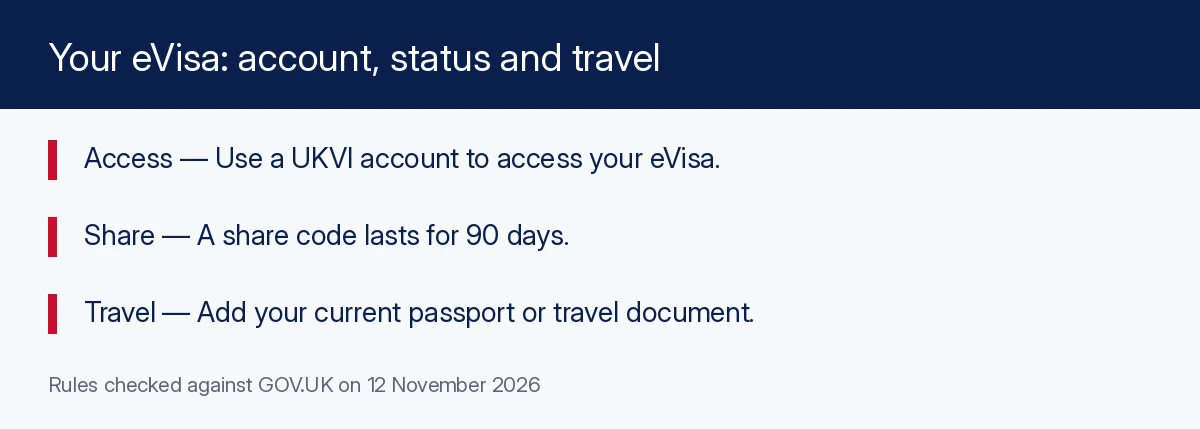
An eVisa is your digital immigration record. Access it through a UKVI account, check the details and use the official sharing service when needed. Before travelling, make sure the current passport or travel document you will use is added to the account.
Understand the official account, sharing, update and error-reporting routes without confusing account access with immigration permission.
In this guide
- What is an eVisa and how do you access it in the UK?
- What does an eVisa show, and what has it replaced?
- Do you already have a UKVI account?
- Create an account and link it to your eVisa
- Check the record and get a share code
- Which details should you keep up to date?
- What should you check before travelling?
- What if your passport changes while you are abroad?
- How to fix access problems or incorrect details
- Keep a practical record for your next settling-in tasks
- Common questions
- Official sources
- Related guides

What is an eVisa and how do you access it in the UK?
An eVisa is a digital record of your identity, immigration status and the conditions attached to it. You access it through a UK Visas and Immigration account. Start at GOV.UK, check whether you already have an account, then follow the official route to view or link your record.
This eVisa UK guide covers England, Scotland, Wales and Northern Ireland. SettleUK is an independent guide, not a government site. We do not provide a UKVI sign-in portal or collect immigration documents. Every external service link in this guide goes to GOV.UK.
Keep three things separate: your immigration permission, the online record showing it, and the account you use to reach that record. Updating an account detail is not the same as applying for a new visa or changing your immigration conditions.
What does an eVisa show, and what has it replaced?
GOV.UK describes an eVisa as a digital record of identity and immigration status, such as the type of visa held or indefinite leave to remain. It also records conditions, for example whether you can work or study. Read the actual record rather than assuming everyone’s permission is the same.
The overview says eVisas have replaced physical immigration documents. It also notes that a visa vignette remains valid until it expires and a biometric residence card may still be usable in some situations. Check the instructions for the particular document you hold.
If you previously held a biometric residence permit, check that you can access the digital record instead of waiting for a replacement card. The account setup guidance includes a route for people who replaced a BRP or BRC with an eVisa and may already have an account.
An eVisa is also different from an electronic travel authorisation. The official travel page makes that distinction explicitly. If you are unsure which permission you need, check GOV.UK rather than assuming account creation gives you permission to enter, live or work in the UK.
Do you already have a UKVI account?
You may already have an account if you used the UK Immigration: ID Check app, created an account during a visa application, replaced a physical immigration document with an eVisa, or applied to the EU Settlement Scheme. GOV.UK lists these situations in its account setup guidance.
If you are unsure, the guidance says you can try signing in to view your eVisa. If you already have a UKVI account, you should not create another one. Start with account recovery or the relevant help route if the problem is forgotten access information.
Partners and children joining as dependants need their own UKVI accounts to access their eVisas. Do not assume the main applicant’s account contains a single family record that replaces everyone else’s access. Include each person in your preparation checklist.
For practical organisation, note which email address and phone number are associated with each account without putting passwords in a shared document. Where someone helps manage an account, follow the official guidance for acting on their behalf and transferring contact details when appropriate.
Create an account and link it to your eVisa
To create an account, GOV.UK asks for a phone number and email address you can use whenever you sign in. It lists identity options including a valid passport with a visa application number, or a valid passport with a BRP number.
The setup page also lists an expired BRP option with a specific limit: 24 months after the printed expiry date or until 31 December 2026, whichever comes first. That is an account-setup condition, not permission to travel on the expired card. Check the current GOV.UK instructions before relying on it.
After creating an account, you must confirm identity and link it to your eVisa. The guidance says you cannot access the eVisa until those steps are complete. An account confirmation email by itself does not mean the digital immigration record is ready to view.
- Check for an existing account before creating one.
- Use GOV.UK’s setup service and prepare the identity details it lists.
- Complete the requested identity confirmation.
- Link the UKVI account to your eVisa.
- Sign in to check that the record is visible and correct.
Identity confirmation normally uses an app on a smartphone. The guidance provides another way if you cannot access a smartphone or use the app, or do not have the listed identity documents. Follow the alternative identity-check instructions offered by the service.
Check the record and get a share code
Once your record is accessible, check the identity information, immigration status and conditions. GOV.UK says you can obtain a share code to prove status to people such as employers or landlords, or for travel. You also give the person checking it your date of birth.
The official viewing and sharing guidance says you will not need to show the person your eVisa. When you generate the code, you are told which details the checker will see. Read that information so you understand what you are sharing.
A share code lasts for 90 days, can be reused before it expires, and can be replaced with a new code whenever you need one. Choose the option appropriate to the request. Our work share-code guide explains the employment process separately.
If you have changed your name or nationality, or need a recognisable photograph, update the account before generating a code. If the record itself is wrong, use the error-reporting route. Do not try to make an incorrect immigration status look right by editing unrelated contact details.
Which details should you keep up to date?
GOV.UK says to update your UKVI account if your passport or travel document, name, mobile number, email address, home address or postal address changes. Accurate contact details also let UKVI contact you, including while waiting for a decision or documents to be returned.
The account update service also allows certain corrections and additions, including date of birth, nationality, another passport and your photograph. If changing your photograph, follow the linked official digital-photo rules rather than uploading any convenient image.
| Situation | Official route | Key point |
|---|---|---|
| New contact details or passport | Update UKVI account | Keep access methods and travel details current |
| Wrong immigration status displayed | Report an eVisa error | Account edits do not change immigration permission |
| Cannot sign in | Account recovery or relevant error route | Read the symptom-specific guidance |
| Changed name during a pending visa application | Check the update guidance | Name and passport changes are restricted while awaiting a decision |
You cannot use the account update service to change immigration application details. GOV.UK also says you cannot change your name or passport or travel document while waiting for a visa application decision. If that affects you, follow the official guidance rather than assuming a standard update will be available.
Add a UKVI account update to your checklist when renewing a passport or moving home. Check the account again before sharing your status or travelling.
What should you check before travelling?
Before travelling to or from the UK, you must check that your account and eVisa details are correct. GOV.UK warns that a carrier may not let you travel if details are wrong, and you may face delays at the UK border.
You must travel with a valid passport or travel document added to the UKVI account. Your personal details must exactly match the passenger information supplied to the carrier. Check both the account details and the immigration status displayed in the eVisa.
The official eVisa travel guidance says a carrier or border official may ask for additional proof. You can get a share code for travel in advance; it is valid for 90 days and can be used more than once. Follow that page for applicable physical-document options.
If you have more than one nationality, add the passport you will actually use. GOV.UK says more than one passport can be added. If one nationality is British or Irish, the travel guidance gives separate passport instructions and says you do not need an eVisa.
What if your passport changes while you are abroad?
If passport or personal details change outside the UK, you will need to update the account or ask UKVI to update it before returning. Which route is available depends on what changed and whether you have a biometric passport. The official travel page sets out those differences.
With a biometric passport, the page lists account updates for passport details, name or nationality. For other personal-detail changes, it says to ask UKVI to update the account. Additional biometric information at a visa application centre may be needed.
Without a biometric passport, the page says you can update passport number and expiry date only through the account route described. Other personal-detail changes require asking UKVI. Read the full instructions for your situation before assuming an ordinary sign-in update is enough.
If a carrier cannot check your eVisa, GOV.UK says to ask the carrier to contact the UK Border Force carrier support hub. This is a carrier escalation route. It does not mean SettleUK can verify your status or authorise boarding on the carrier’s behalf.
How to fix access problems or incorrect details
First identify the symptom. If you never finished identity confirmation or linking the eVisa, complete setup. GOV.UK says access is usually immediate after linking but can take up to 24 hours. Report an error if it is still unavailable after that period.
Use the eVisa error-reporting guidance when details are wrong, you can view the record but cannot get a share code, or the Home Office created your account and you have never been able to sign in. It also covers technical errors when logging in.
If the problem is losing access to your phone or email, follow the account recovery route linked from GOV.UK. If you simply need to update a changed address or passport, use the update service. Sending the issue to the right route helps describe what needs fixing.
The error service asks for contact and identity information and one of several identifying references, such as a passport number or visa application reference. If reporting incorrect name, birth date or nationality, enter those details as displayed in the eVisa when the guidance asks you to do so.
UKVI aims to fix most errors within five working days; complex issues can take up to 15 working days. These are the official aims, not a guaranteed deadline. GOV.UK says you will receive an email if more information is needed or the issue is likely to take longer.
Keep a practical record for your next settling-in tasks
Your personal record can be simple: confirm account access, check identity and status, note any correction request, and confirm the passport you will use for travel is linked. Keep sensitive references privately. This is an organisation suggestion, not an additional immigration requirement.
For England housing checks, use our right to rent guide. For other arrival paperwork, see National Insurance numbers and the first-week checklist. Each task uses its own official rules.
If you help a family member, check that their account can be accessed and their record is correct as well as your own. The setup guidance explains when an account may be managed on somebody else’s behalf and when contact details should transfer to that person.
Use GOV.UK for the actual account, travel and error-reporting actions. Revisit the relevant official page when your document or circumstances change. This guide explains the routes, but it cannot confirm individual permission, repair a UKVI record or promise when an issue will be resolved.
Common questions
Is creating a UKVI account free?
Yes. GOV.UK says you do not need to pay to set up a UKVI account or access your eVisa.
Should I create another account if I already have one?
No. GOV.UK says not to create another UKVI account if you already have one. Use the official sign-in help or recovery route for access problems.
Do children need their own UKVI accounts?
GOV.UK says partners and children joining as dependants need their own UKVI accounts to access their eVisas.
How long does a share code last?
The eVisa guidance says a share code lasts for 90 days. You can use it repeatedly before expiry and generate another whenever needed. Choose the purpose appropriate to the check.
Can I travel with only an eVisa screenshot?
Follow GOV.UK’s travel instructions: you must travel with a valid passport or travel document added to your UKVI account. Check your eVisa and passenger details before travel; a screenshot does not replace those requirements.
What if my immigration status is wrong on the eVisa?
Use GOV.UK’s eVisa error-reporting route. The account update service changes account details; it does not change immigration permission.
When should I report an eVisa that is not visible?
Check that setup and linking are complete. Access can take up to 24 hours after linking. GOV.UK says to report an error if you still cannot view it after that, or get a technical sign-in error.
Official sources
- What an eVisa is — GOV.UK · Checked 2026-11-12
- Set up a UKVI account — GOV.UK · Checked 2026-11-12
- View your eVisa and prove immigration status — GOV.UK · Checked 2026-11-12
- Update your UKVI account — GOV.UK · Checked 2026-11-12
- Travel with your eVisa — GOV.UK · Checked 2026-11-12
- Report an error with your eVisa — GOV.UK · Checked 2026-11-12
SettleUK is an independent guide. It is not a government website and is not affiliated with GOV.UK, DWP, HMRC or the NHS.